
One App = Notes + Todo + 60+ Offline Tools
Private local workspace for Windows. 100% offline, no data upload, no monthly fees.
Zero Cloud
All data stays on your local PC.
No Subscription
One-time lifetime purchase.
60+ Bundled Tools
Replace dozens of paid utilities.
Lightweight & Fast
No bloat, no background service.
Stop using fragmented, ad-filled, cloud-dependent tools
❌ The problem
- !Web tools track your data & show ads
- !PowerToys lacks note & todo workspace
- !You have to buy many tiny paid apps separately
- !Subscription fees pile up every year
✅ Sunmemo.net
- ✓All tools built-in, no extra download
- ✓Full private note + todo workbench
- ✓All premium niche utilities bundled
- ✓Pay once, own forever
Six powerful tool families
Text & Encoding · 6 tools
Image & Media · 10 tools
Calculator & Life · 14 tools
System & Files · 19 tools
Developer Tools · 12 tools
Productivity & Habits · 7 tools
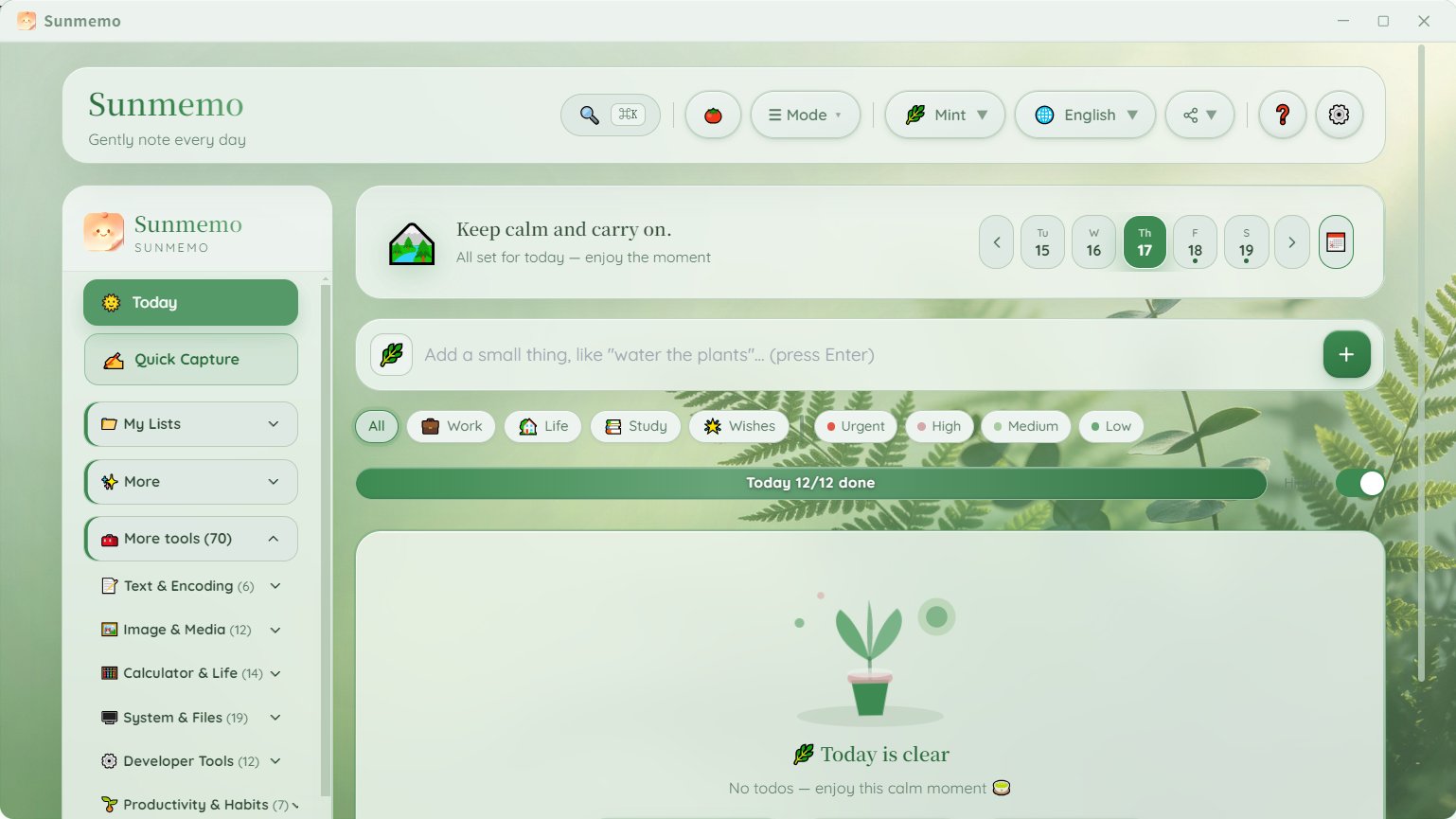
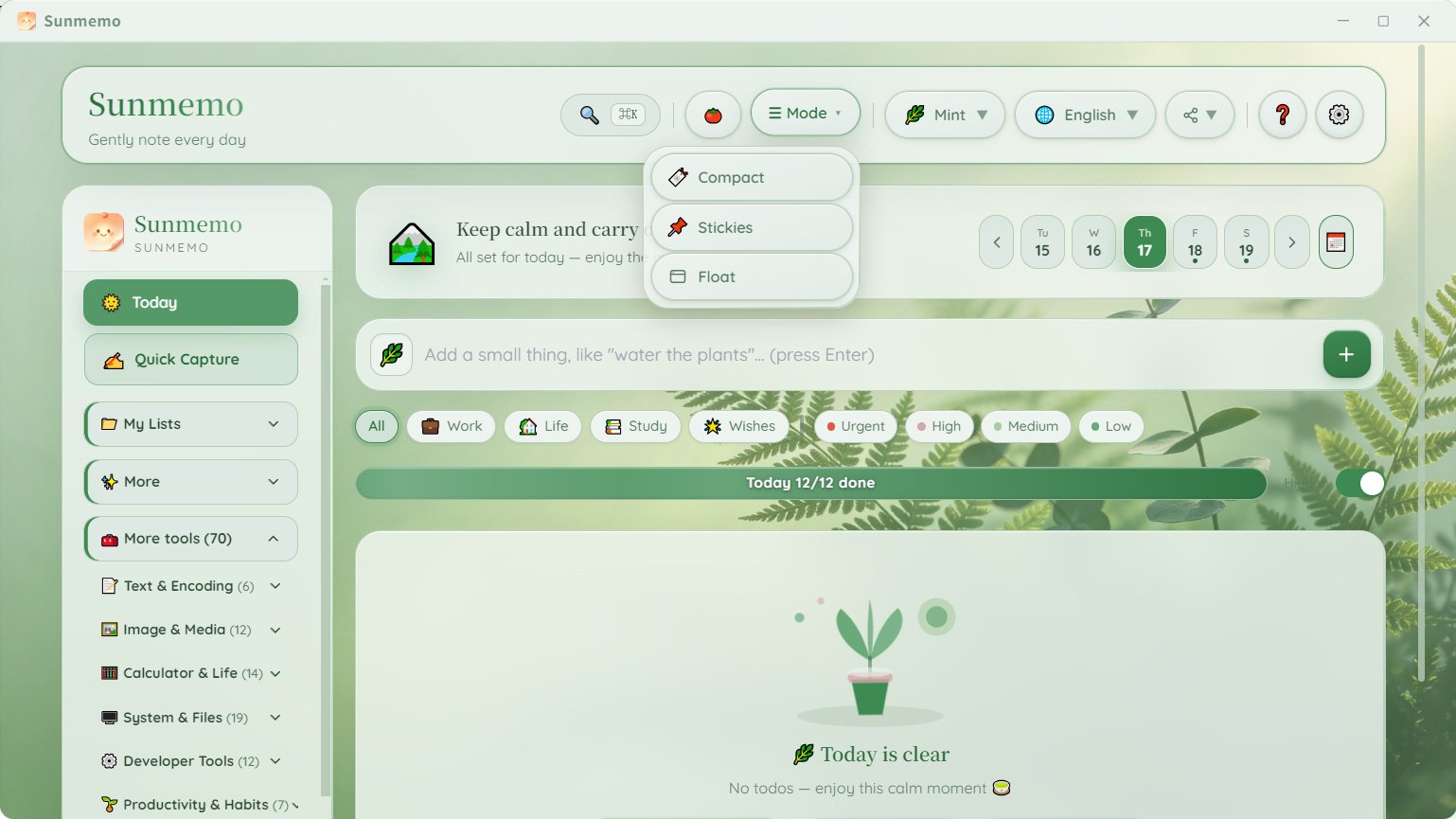
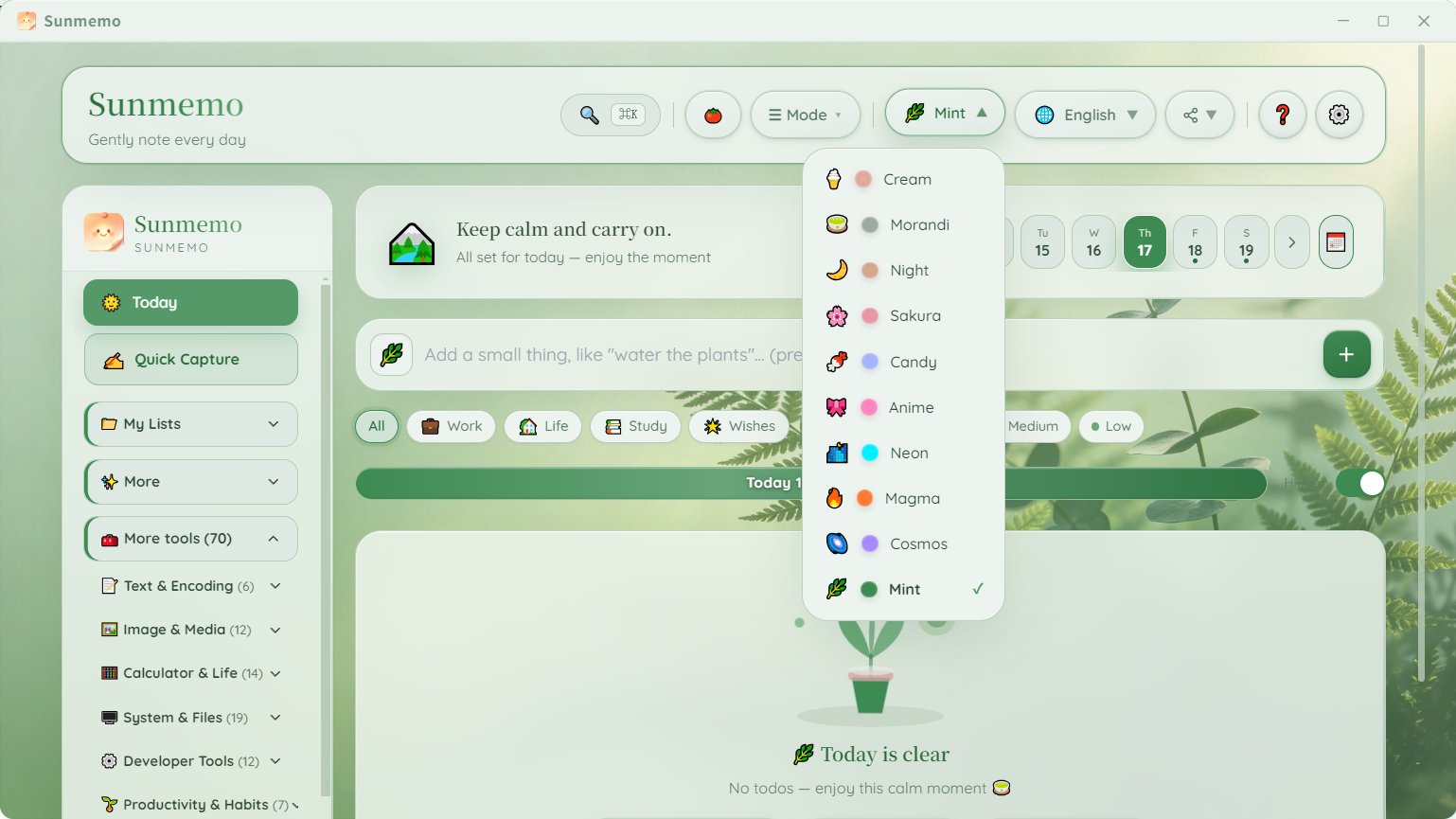
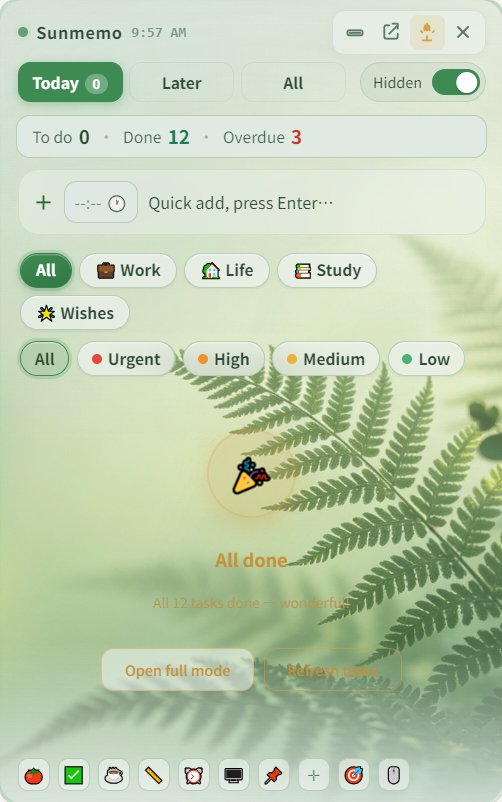
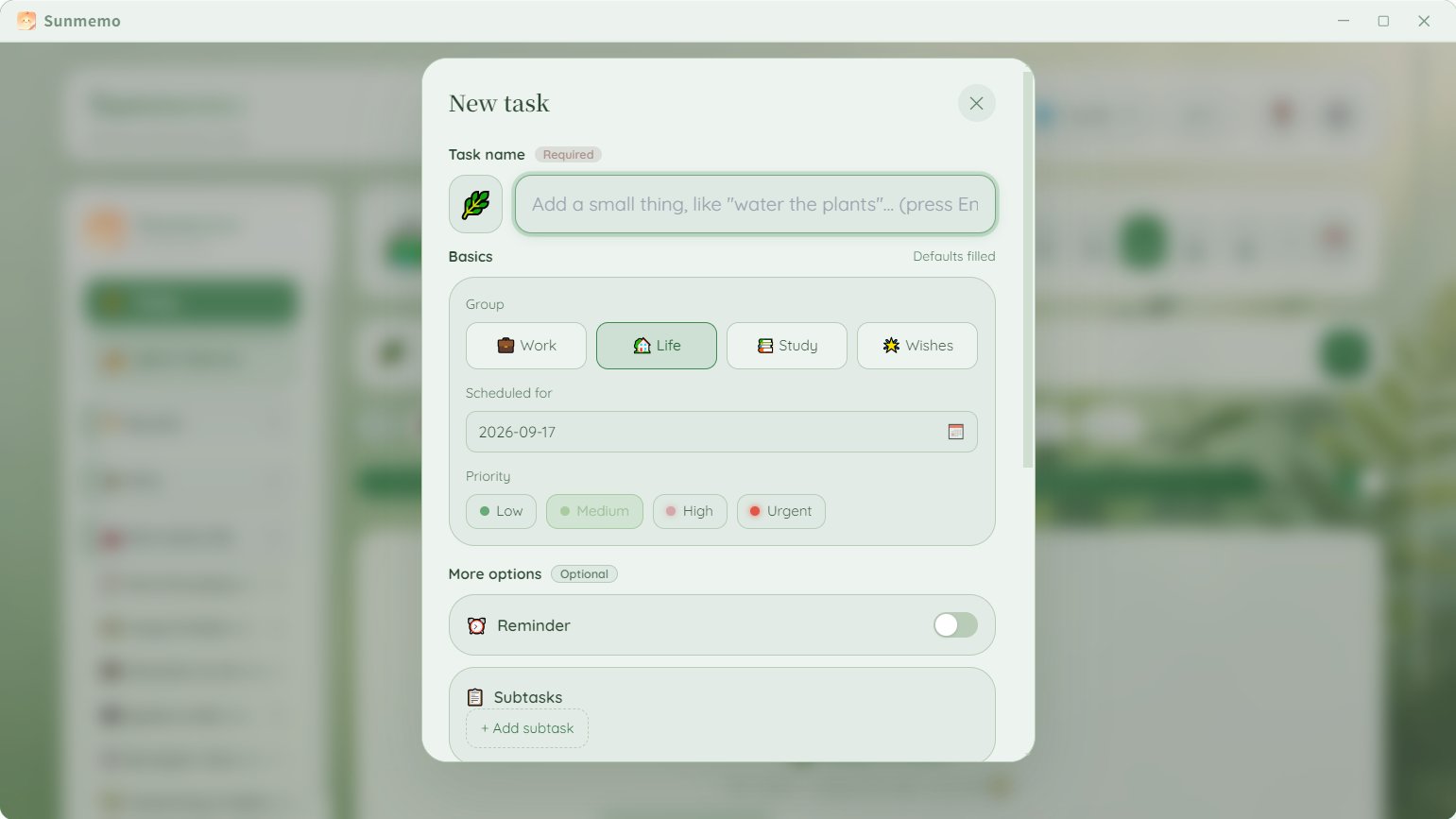
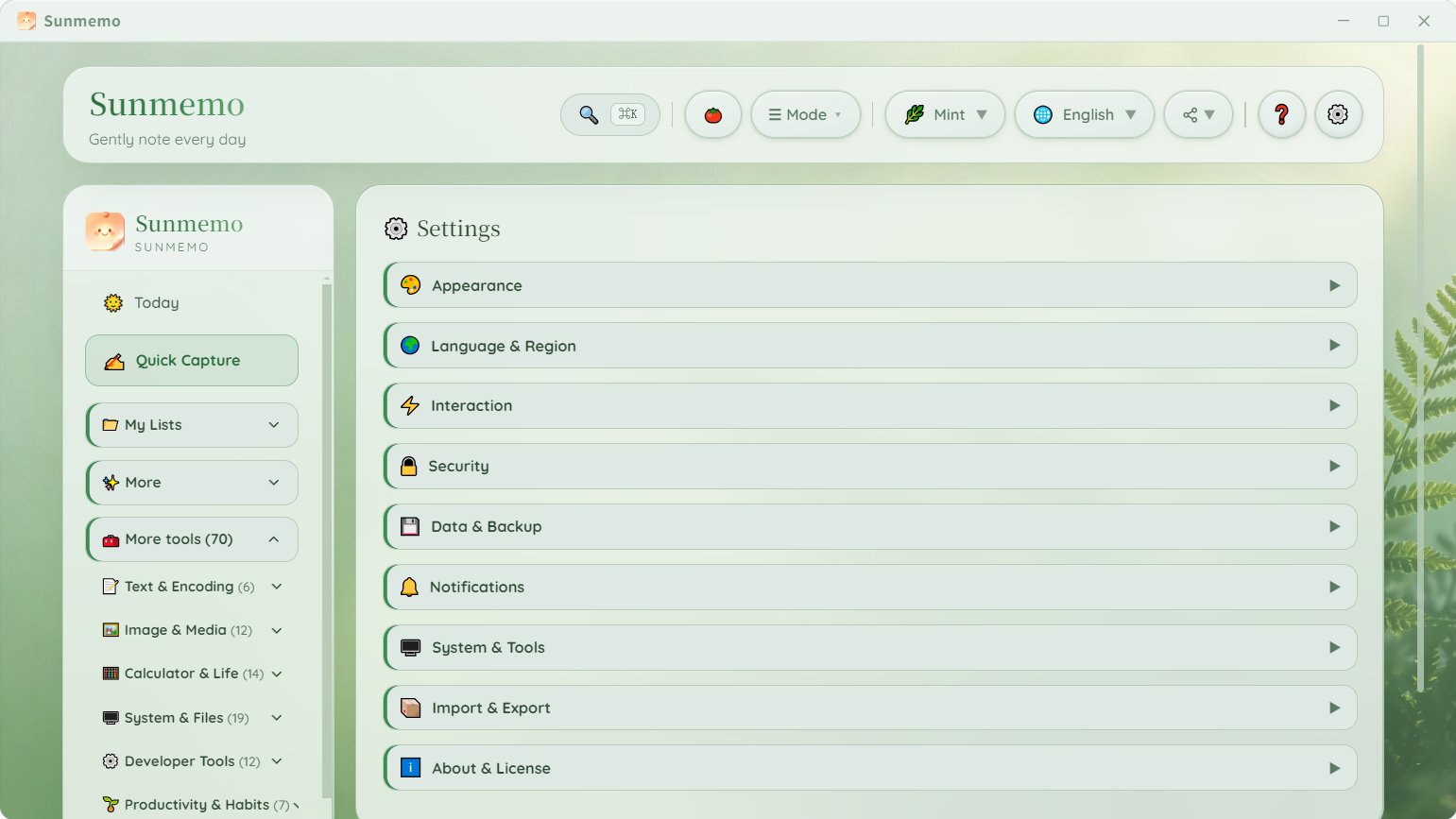
See it in action
A purchase you can trust
No Internet Required
No Data Collection
No Auto-Update Spam
Lifetime License
3-Year Total Cost of Ownership
Subscription tools bill you every year. Sunmemo is one payment, forever. Here is what a single-PC buyer actually pays over 3 years.
Based on publicly listed annual prices (Sept 2026) × 3 years, compared against the leading annual-subscription model (IObit ASC Pro, Glary Pro, CCleaner Pro). Competitor list prices cover up to 3 PCs per license; Sunmemo Personal covers 1 PC. A few suites also sell one-time licenses. Figures are illustrative.
Built for people who value privacy & simplicity
One private, offline Windows app that replaces a drawer full of paid utilities.
Freelancers & Creatives
Keep client files local. Replace a folder of paid micro-tools with one offline app.
Developers
JSON, Base64, diff, JWT, cron — every dev utility runs locally, no cloud, no telemetry.
Small Business
Stop paying for three separate subscriptions a year. One $49.99 purchase covers it.
Privacy-first users
Nothing leaves your PC. No account, no tracking, no forced cloud sync.
IT & Support
Roll it out across machines: clipboard history, screen ruler, quick search — daily staples.
Writers & Researchers
Private notes and todo workbench plus 60+ tools in one app. No subscription, lifetime updates.
Follow the build
Dev logs, new tool releases, and offline-productivity tips.
60+ Premium Offline Tools in 6 Categories — One App
Plus a built-in private notes & todo workspace. Every tool runs 100% locally on your Windows PC — buying these separately would cost $12 each.
📝Text & Encoding 6 tools
- Text Toolkit
- Markdown Preview
- Password Generator
- Timestamp Converter
- Text Snippet Library
- File Hash Checker
🖼️Image & Media 10 tools
- Clipboard History
- Screenshot & Edit
- Voice Recorder
- Screen Color Picker
- QR Code Decoder
- QR Code Generator
- Image Palette
- Image Resizer
- File Convert
- Color Tool
🧮Calculator & Life 14 tools
- World Clock
- Calculator & Units
- Anniversary Calculator
- Work Week
- Tip Split
- BMI / BMR
- Loan / Mortgage
- Due Date
- Child Height
- Wage Convert
- Print DPI / Pixel
- Compound Interest
- Unit Converter
- Age Calculator
💻System & Files 19 tools
- WiFi QR Code
- Batch Rename
- Encrypted Backup
- Quick File Search
- Keep Awake
- Screen Ruler
- Shutdown / Lock / Monitor Off
- PC System Info
- Always On Top
- Crosshair Overlay
- Find My Mouse
- Mouse Jump
- Deskpin
- Boss Key
- Quick Look
- Duplicate Finder
- Secure Delete
- Text to Speech
- Theme Switcher
⌨️Developer Tools 12 tools
- Developer Toolkit
- Shortcut Reference
- ASCII Toolkit
- JSON Viewer
- CSV Viewer
- Text Diff
- JWT Encode/Decode
- Base64 Image
- GZip
- Case Converter
- Lorem Ipsum
- Cron Parser
⏰Productivity & Habits 7 tools
- Meeting Minutes
- Industry Templates
- Habit Tracker
- Breathe & Eyes
- Screen Time
- Worktime Tracker
- Pomodoro
Pay Once, Own Forever — 7-Day Free Trial
Personal License
- ✓1 Windows device (permanently bound)
- ✓Lifetime offline access
- ✓All built-in tools
Family License
- ✓2 Windows devices (each permanently bound)
- ✓Lifetime offline access
- ✓All built-in tools
Secure Checkout
Payments handled by Paddle with 256-bit SSL. We never see your card details.
Private & Offline
Zero telemetry, zero data collection. Your files never leave your PC.
Pay Once, Own Forever
No subscription, no hidden fees. One purchase, lifetime ownership.
3-Year Total Cost of Ownership
Subscription tools bill you every year. Sunmemo is one payment, forever. Here is what a single-PC buyer actually pays over 3 years.
Based on publicly listed annual prices (Sept 2026) × 3 years, compared against the leading annual-subscription model (IObit ASC Pro, Glary Pro, CCleaner Pro). Competitor list prices cover up to 3 PCs per license; Sunmemo Personal covers 1 PC. A few suites also sell one-time licenses. Figures are illustrative.
Your Local Data Should Stay Local
Most productivity tools force cloud sync, track your notes, scan your files, and require monthly subscriptions. Sunmemo.net is built differently:
- ✓100% offline calculation & processing
- ✓Zero data collection, zero telemetry
- ✓No account login required
- ✓No forced internet connection
- ✓All notes & records store only on your computer
- ✓Perfect for freelancers, business users, privacy-focused people
Frequently Asked Questions
About Sunmemo.net
Sunmemo.net is built by an independent developer who was tired of buying dozens of tiny paid utilities, dealing with cloud sync, and paying endless subscriptions. We believe a private, local, one-time-purchase workspace should just work — on your PC, offline, forever.
Instead of buying 20+ separate paid tiny tools, get everything in one lightweight offline app. No cloud. No subscription. One-time purchase.
Contact
Questions, feedback or partnership: support@sunmemo.net
Activate Your Sunmemo License
Bought a license or an AppSumo code? Follow these steps to get started.
1 Download & Install
If you haven't installed Sunmemo yet, get it free from the Microsoft Store. It comes with a 7-day trial; activate with your code to keep using it.
Get it fromMicrosoft Store2 Open Sunmemo
Launch the app from your Start menu. If it is already installed, just open it and continue to step 3.
3 Enter Your Code
In the app, open the activation dialog and paste the code from your AppSumo redemption link or purchase email. The app activates offline — you are done.
Need help?
Can't find your code? Log in to your AppSumo account, open Purchases, then open the redemption link to see your code.
Still stuck? Email us and we'll sort it out.
Email: support@sunmemo.net